Casdoor Marketplace
Plug apps, providers and themes into Casdoor.
Pick an integration, fill in a few values and click Install. Casdoor creates the application, identity provider or sign-in theme for you, and removes it again when you uninstall.
48 integrations | 24 sign-in themes | 41 free and open source
What you can install
Four kinds of integrations, one Install button.
Each integration is a small package: a manifest, the objects to create and a setup guide. Casdoor checks every package against the catalog's SHA-256 hash before installing it.
App integrations
Single sign-on for the apps you already run. Installing one creates the Casdoor application with the right redirect URLs and token format, then shows the app's own settings with your client ID and secret filled in.
5Identity providers
Let people sign in to Casdoor with an identity system they already have. A template creates the provider and can add it to the sign-in page of an application.
6Actions
Code that runs inside Casdoor as sandboxed WebAssembly: payment and SMS gateways, password checks, password migration, user sync and push sign-in confirmation.
24Sign-in themes
A new look for the sign-in pages of one application, previewed live before you install. Uninstalling restores the look it had before.
How it works
From the catalog to a working login.
- 1
Open the Marketplace in your console
In Casdoor, go to Identity → Marketplace. Filter by type or search by name. The catalog is the same one you see here.
- 2
Fill in a few values
Your Grafana URL, your Keycloak realm, the client secret of the other side. Themes show a live preview of your own sign-in page.
- 3
Install, and uninstall cleanly
Casdoor creates the application, provider or theme and shows the remaining steps with your values filled in. Uninstalling removes them or restores what was there.
App integrations
Single sign-on for the apps you run
DevOps tools, file and photo servers, password managers, AI chat and API gateways, each with a step-by-step guide that already knows your Casdoor address.

Argo CD
DevOps & infrastructure
Connect Argo CD to Casdoor over OpenID Connect: oidc.config in argocd-cm, the client secret, PKCE, CLI login and RBAC from Casdoor groups.

Gitea
DevOps & infrastructure
Add Casdoor to Gitea as an OpenID Connect authentication source: the add-oauth command, callback URL, and admins from a Casdoor group.

GitLab
DevOps & infrastructure
Configure self-managed GitLab to sign users in with Casdoor over OpenID Connect: gitlab.rb provider settings, account creation and group-based admins.

Grafana
DevOps & infrastructure
Set up Grafana single sign-on with Casdoor over OpenID Connect: Generic OAuth settings, PKCE, and Grafana roles mapped from Casdoor groups.

Immich
Productivity
Let people sign in to Immich with Casdoor: OAuth settings in the Immich admin, the web and mobile redirect URIs, and storage label mapping.

Nextcloud
Productivity
Set up Nextcloud single sign-on with Casdoor using the OpenID Connect user backend (user_oidc): provider command, user ID and group mapping.
Open WebUI
AI
Set up Open WebUI single sign-on with Casdoor over OpenID Connect: OAuth environment variables, sign-up, and group sync from Casdoor groups.

Portainer
DevOps & infrastructure
Set up Portainer single sign-on with Casdoor using Portainer's custom OAuth provider: endpoints, user identifier, scopes and automatic user creation.

Proxmox VE
DevOps & infrastructure
Add Casdoor to Proxmox VE as an OpenID Connect realm: the pveum command, redirect URL, usernames, groups and permissions.

Vaultwarden
Productivity
Turn on Vaultwarden single sign-on with Casdoor over OpenID Connect: the SSO_* settings, the redirect URI, and the email verification check.

DeepSeek Harness
AI
Sign DeepSeek Harness in to Casdoor as an AI agent and give it the MCP servers of your organization through the Casdoor MCP gateway, with tool permissions, call records and audit, all set up from the web pages of Casdoor and DeepSeek Harness.

Higress
DevOps & infrastructure
Put Casdoor sign-in in front of the services behind Higress with a Wasm plugin: browsers are sent to Casdoor, API calls need a Casdoor token, and the user reaches the upstream in headers.

Kong Gateway
DevOps & infrastructure
Put Casdoor sign-in in front of the services behind Kong Gateway with a Lua plugin: browsers are sent to Casdoor, API calls need a Casdoor token, and the user reaches the upstream in headers.
Sign-in themes
Restyle a sign-in page in one click
From dark glass and editorial serif to an 8-bit game menu. Pick the application, preview the theme on its real sign-in page, and install.
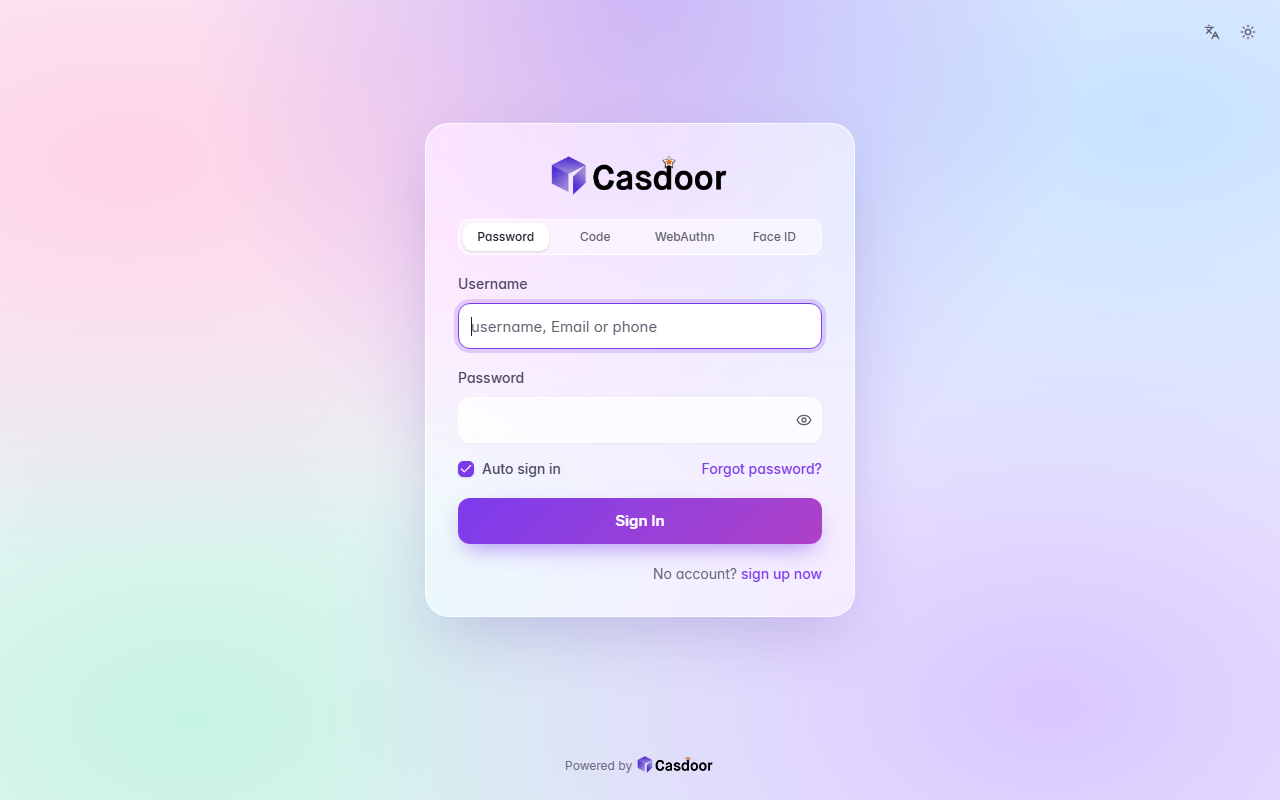
Aurora
A pastel mesh of color tinted by your accent behind a frosted glass card, with soft rounded fields and a gradient button. CSS only, so organization admins can install it.
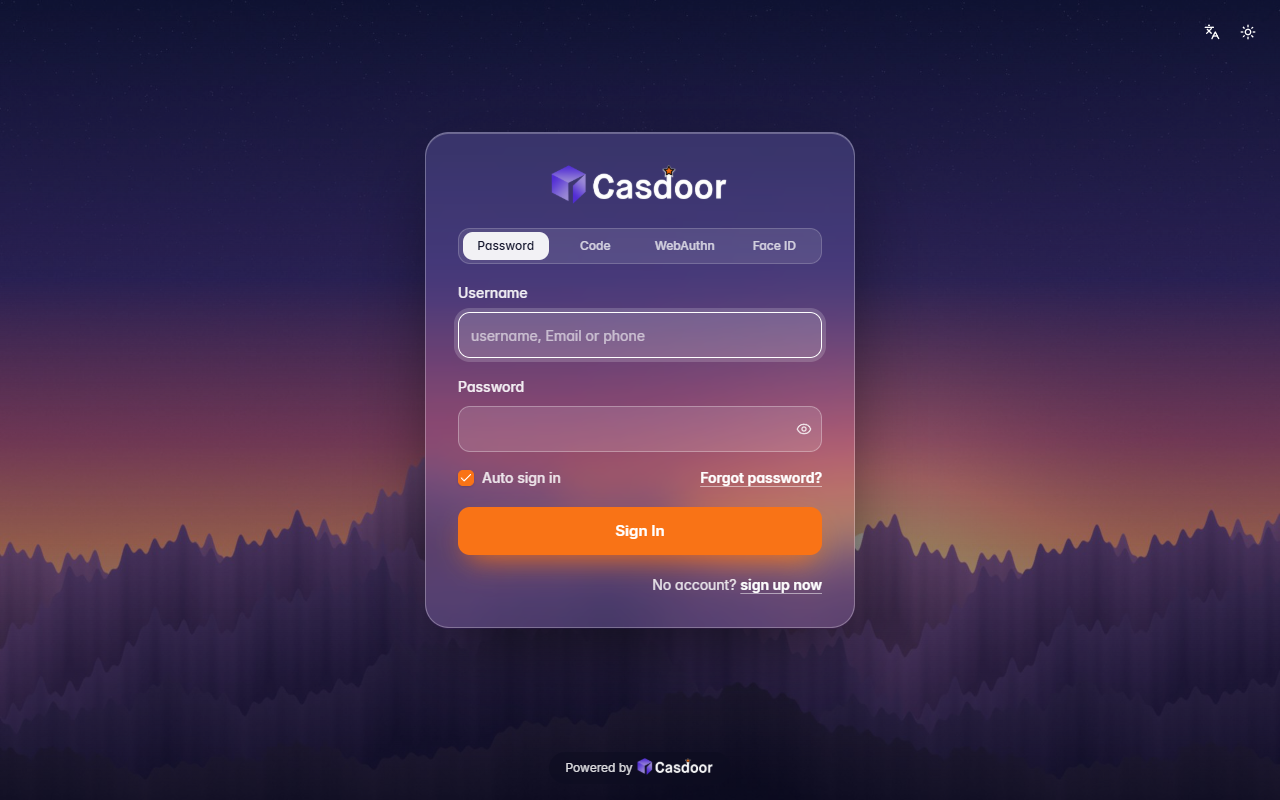
Backdrop
Your own picture behind the whole page, dimmed a little, with a frosted glass card on top. It comes with a dusk mountain scene; give it any image address to use yours. Organization admins can install it.
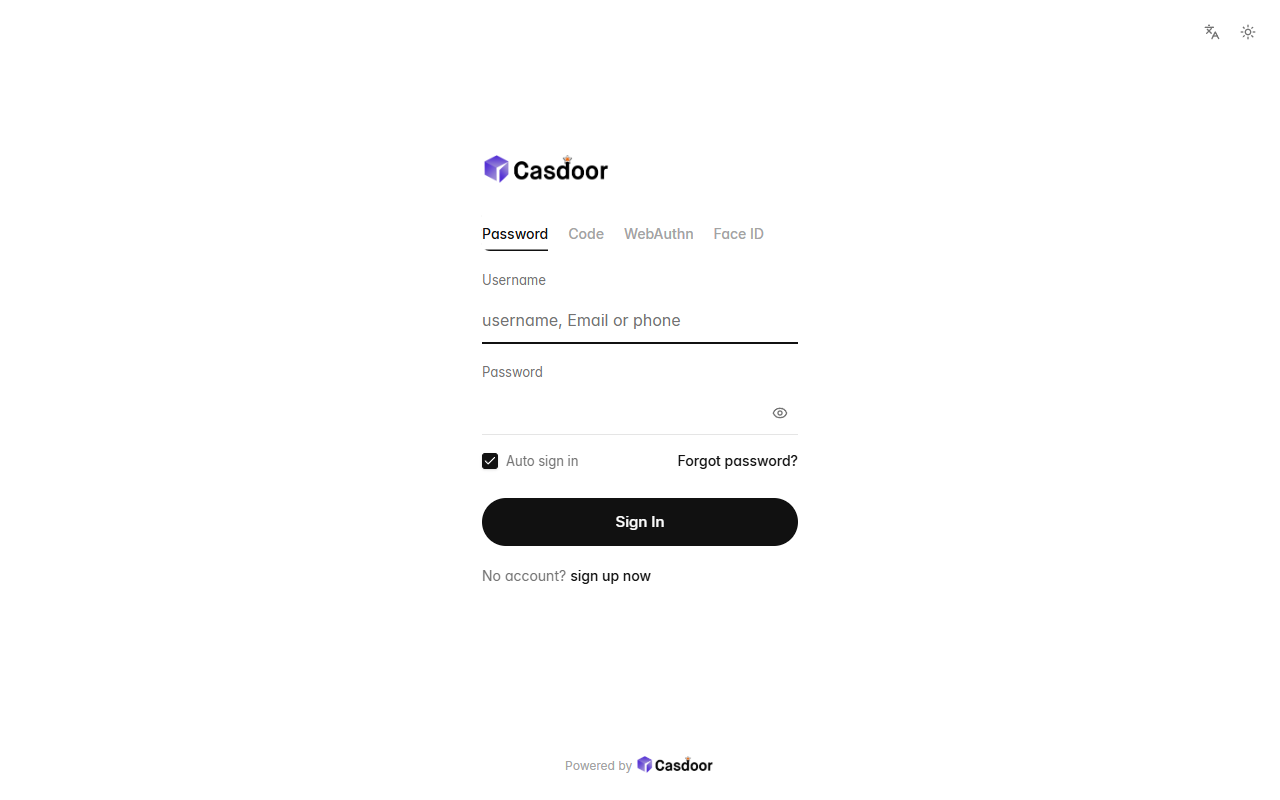
Bare
Nothing but the form: no card, no background, a small left-aligned logo, quiet text tabs, hairline fields and a round button, with plenty of white space. CSS only, so organization admins can install it.
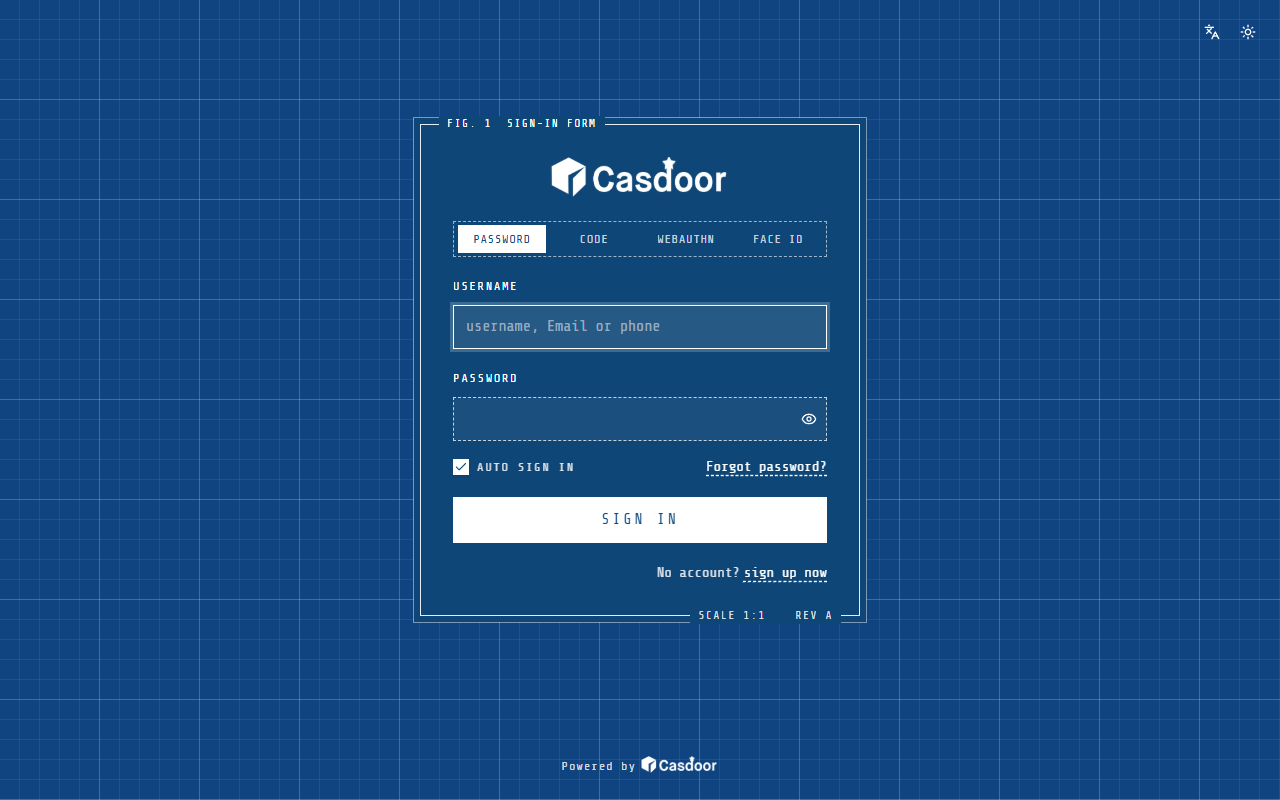
Blueprint
A technical drawing: white lines on blueprint-blue grid paper, a framed form labelled like a figure, dashed fields and a drafting typeface. It loads the Share Tech Mono font from Google Fonts. Organization admins can install it.
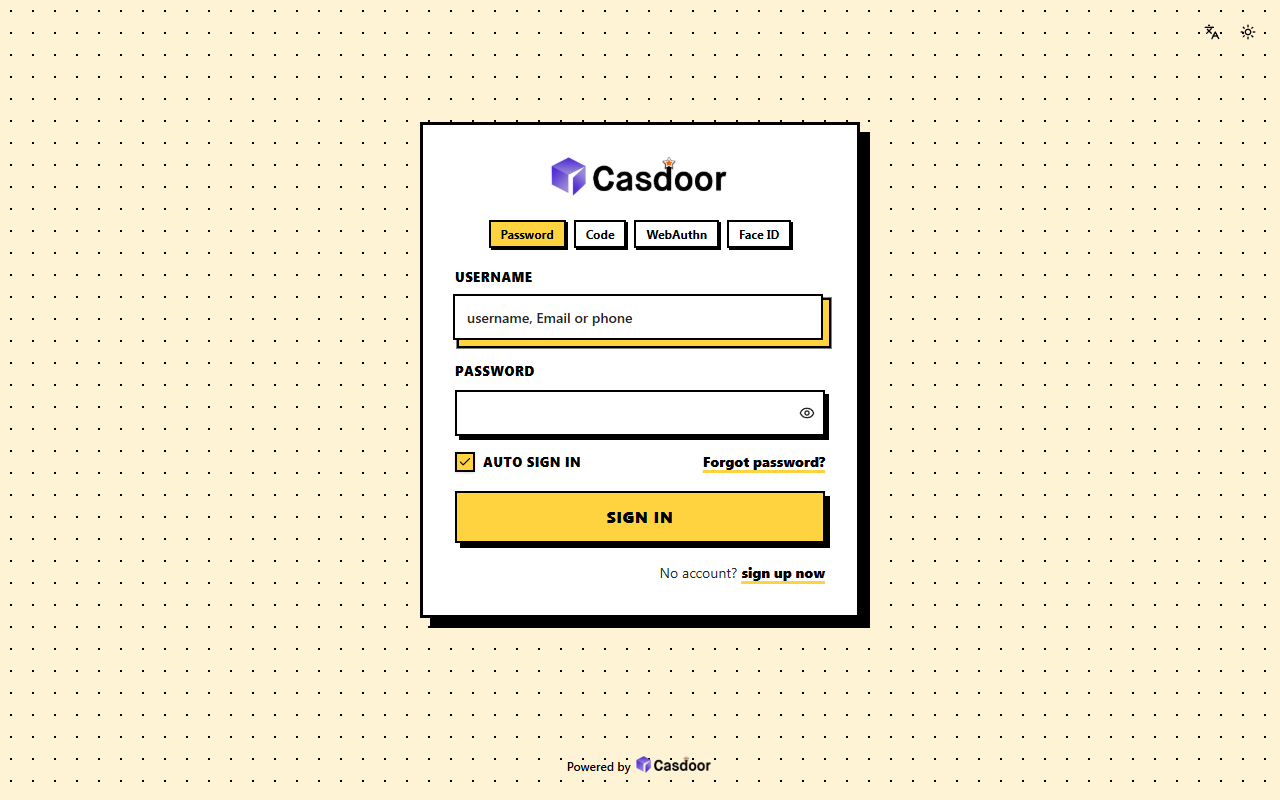
Brutal
Neo-brutalism: thick black outlines, hard offset shadows and a loud accent on a dotted page; the button presses in when you hover it. Pick a bright accent, the text on it stays black. CSS only, so organization admins can install it.
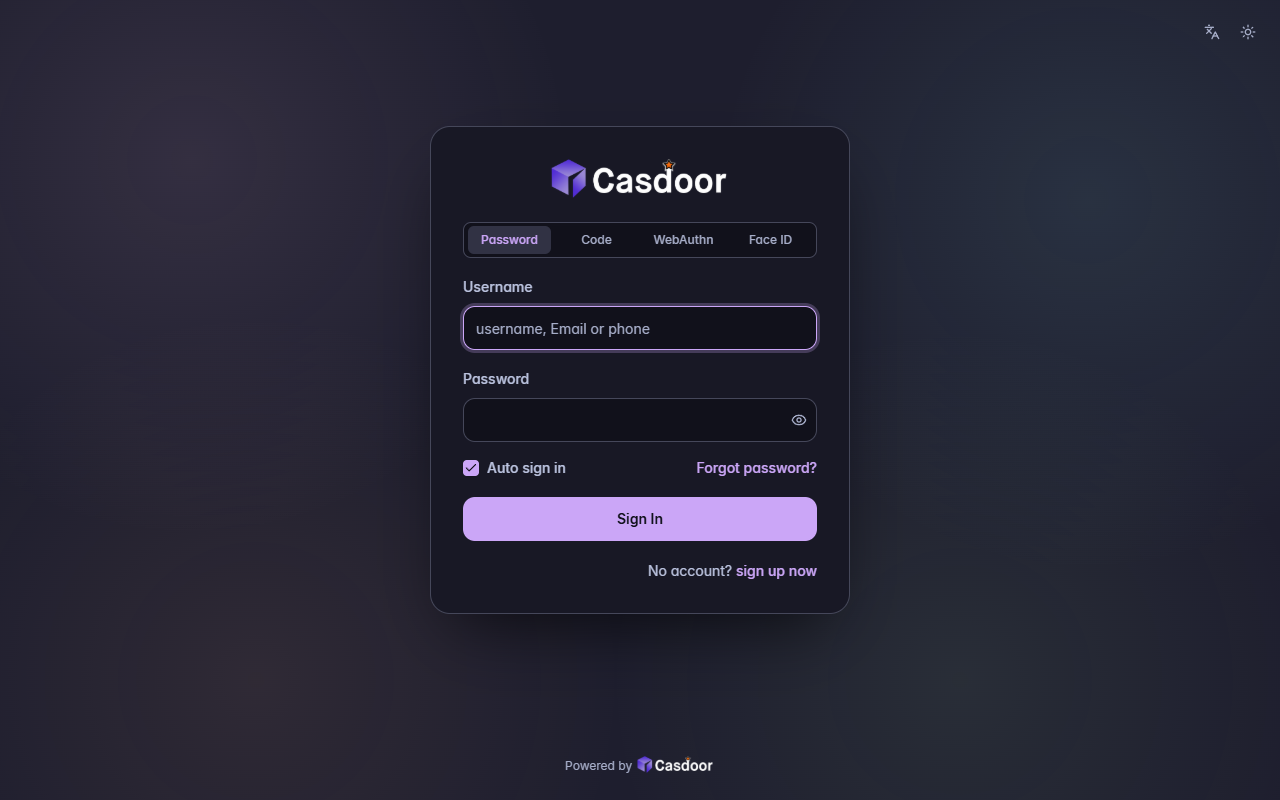
Catppuccin
The Catppuccin Mocha palette: soft pastel colors on a warm dark base, rounded and cozy, with a mauve accent by default. CSS only, so organization admins can install it.
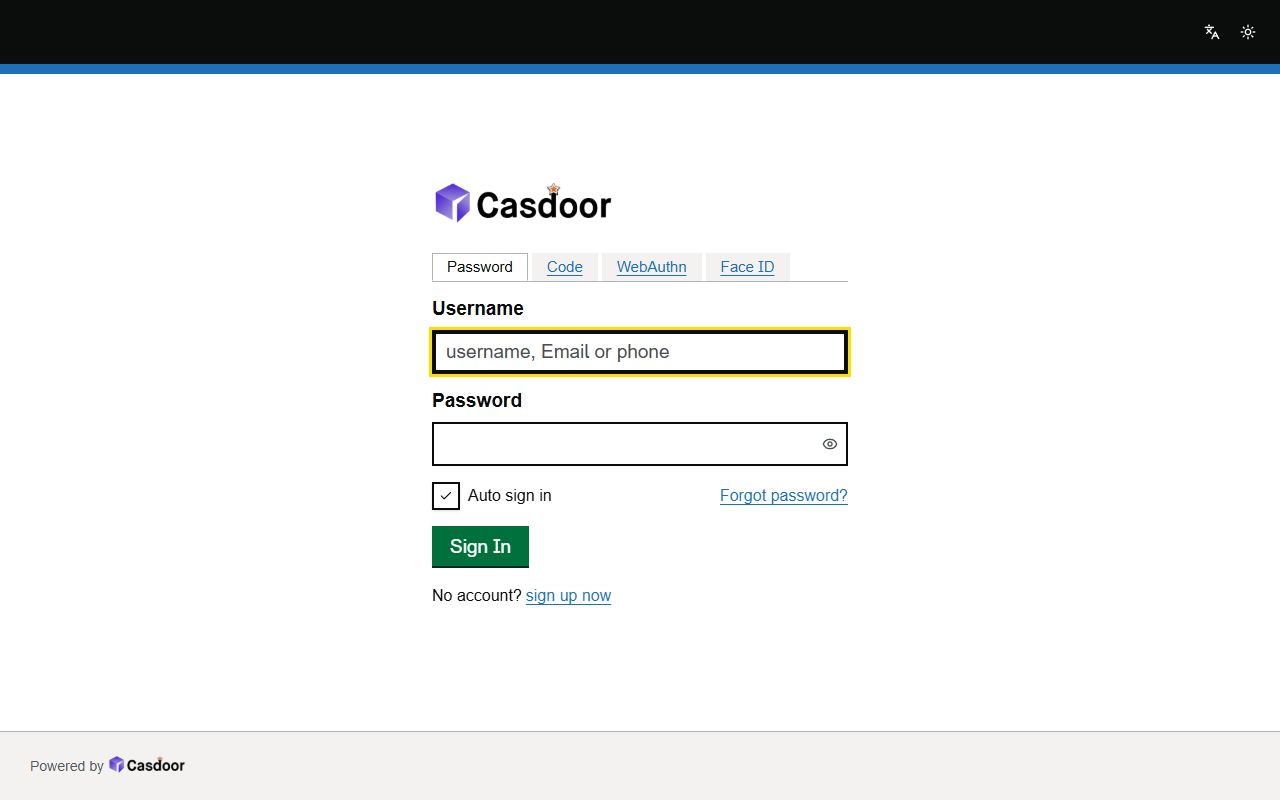
Civic
Plain and accessible, like a public service site: a black header with a blue stripe, no card, large bold labels, thick-bordered fields, a yellow focus ring and a solid button. CSS only, so organization admins can install it.
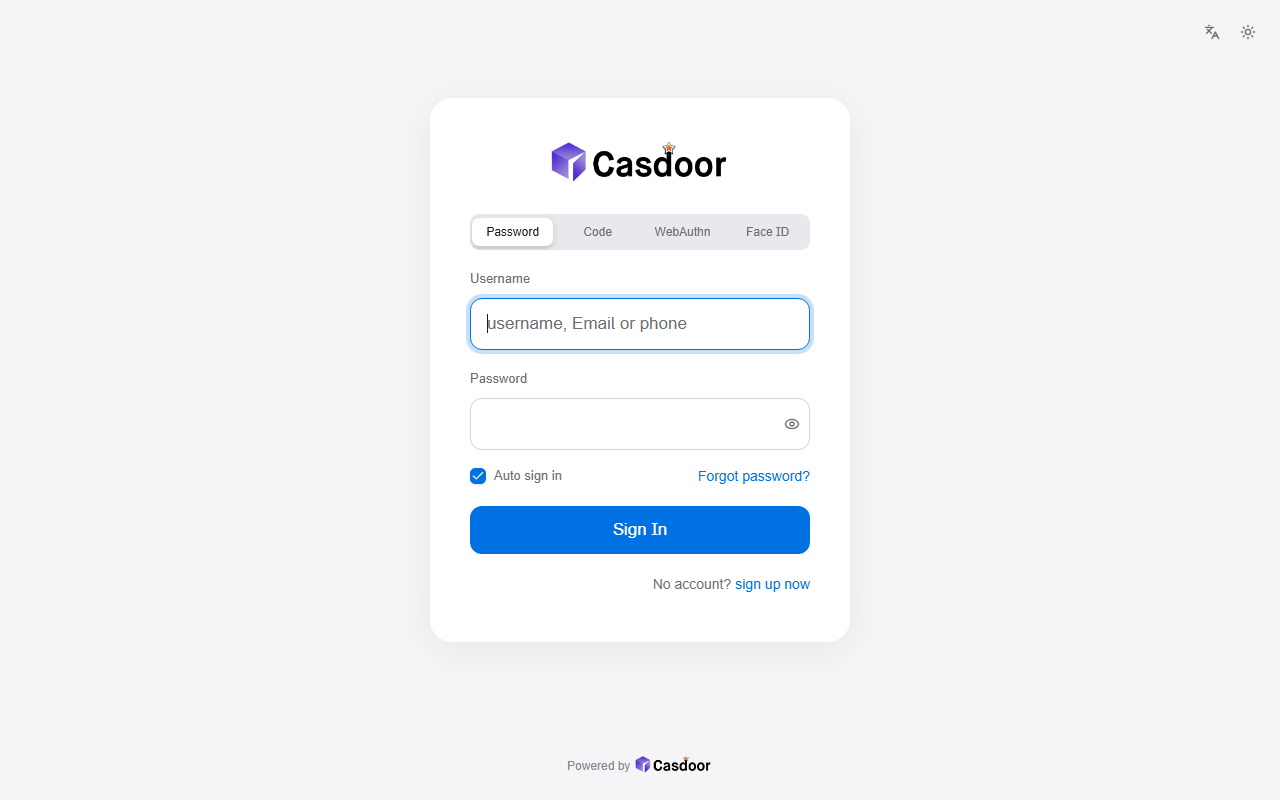
Cupertino
An airy grey page with a soft white card, large rounded fields, a segmented control for the sign-in methods and a tall button, with the system font of the visitor's device. CSS only, so organization admins can install it.
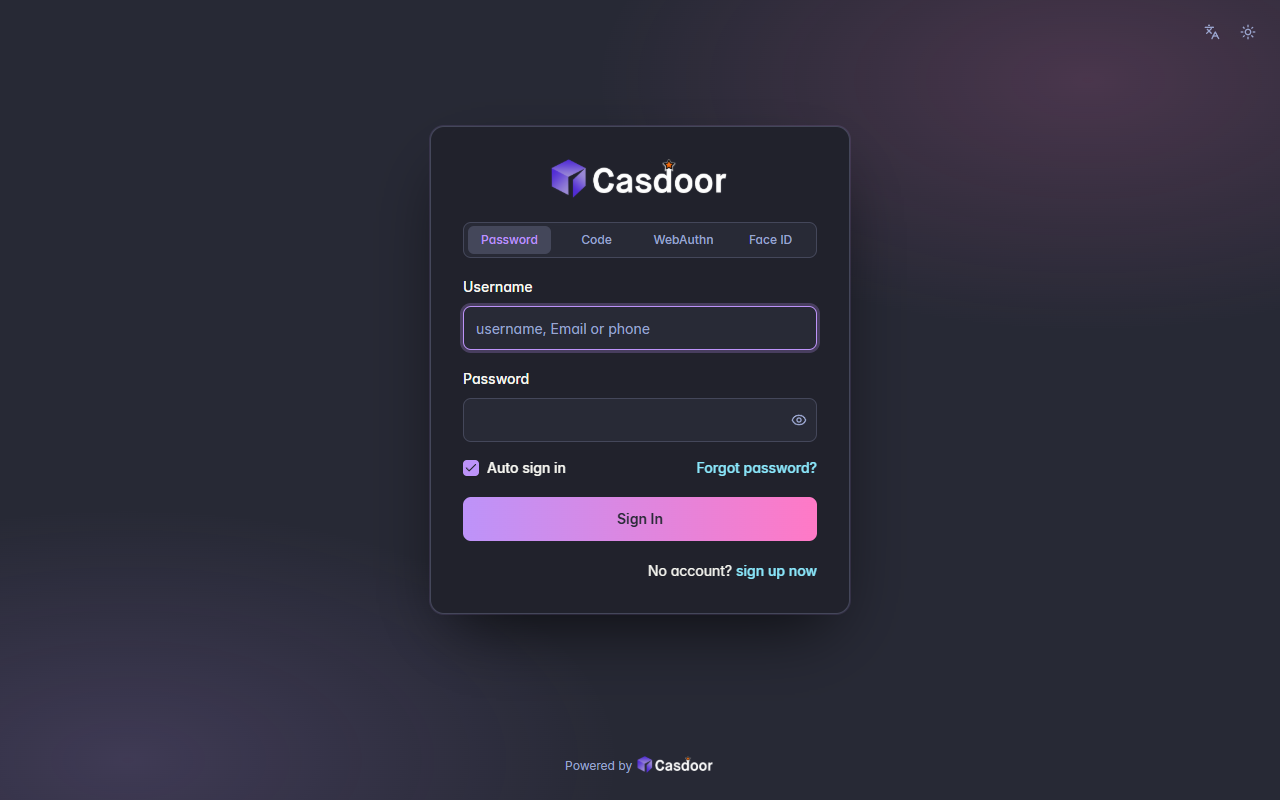
Dracula
The Dracula palette: a deep purple-grey night with pink and purple highlights, a gradient button and a cyan link color. CSS only, so organization admins can install it.
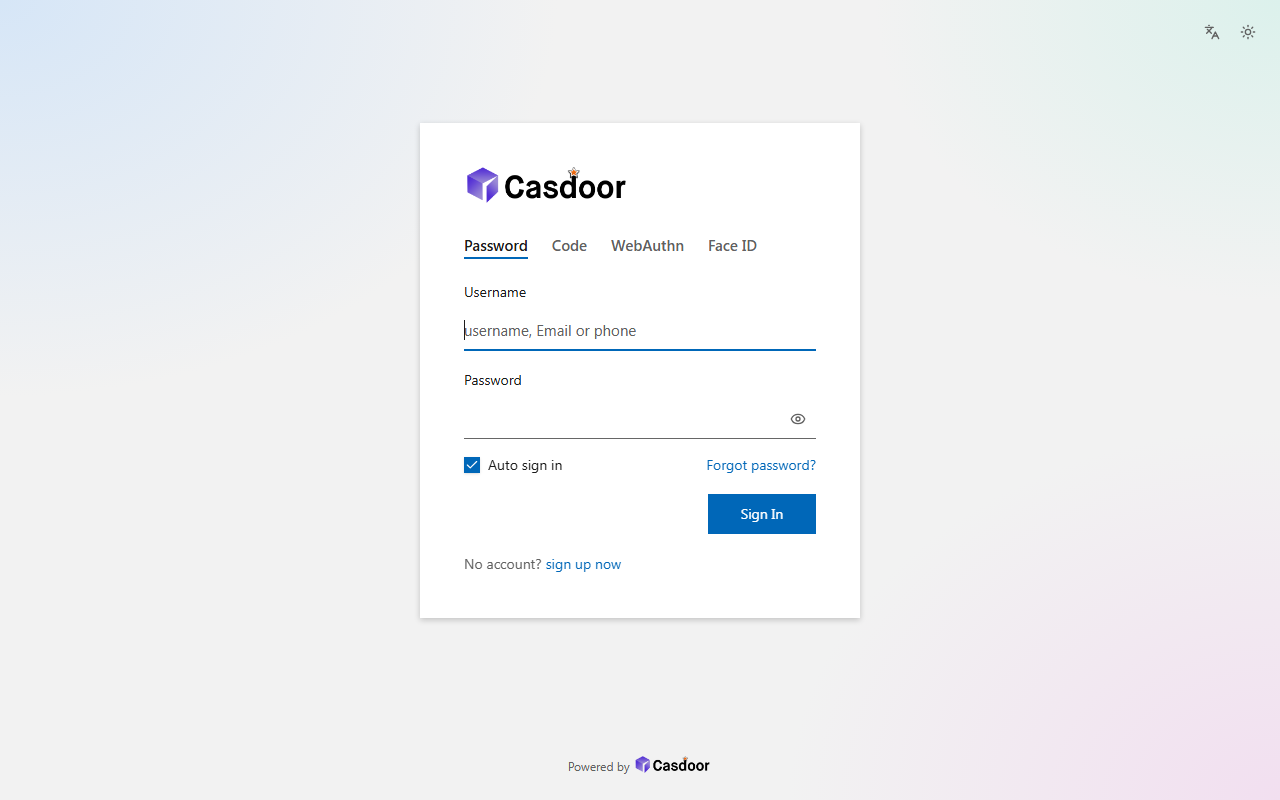
Fluent
A square white card with a soft shadow over a pastel wash, underlined fields and a compact square button on the right, in the spirit of Fluent Design. CSS only, so organization admins can install it.
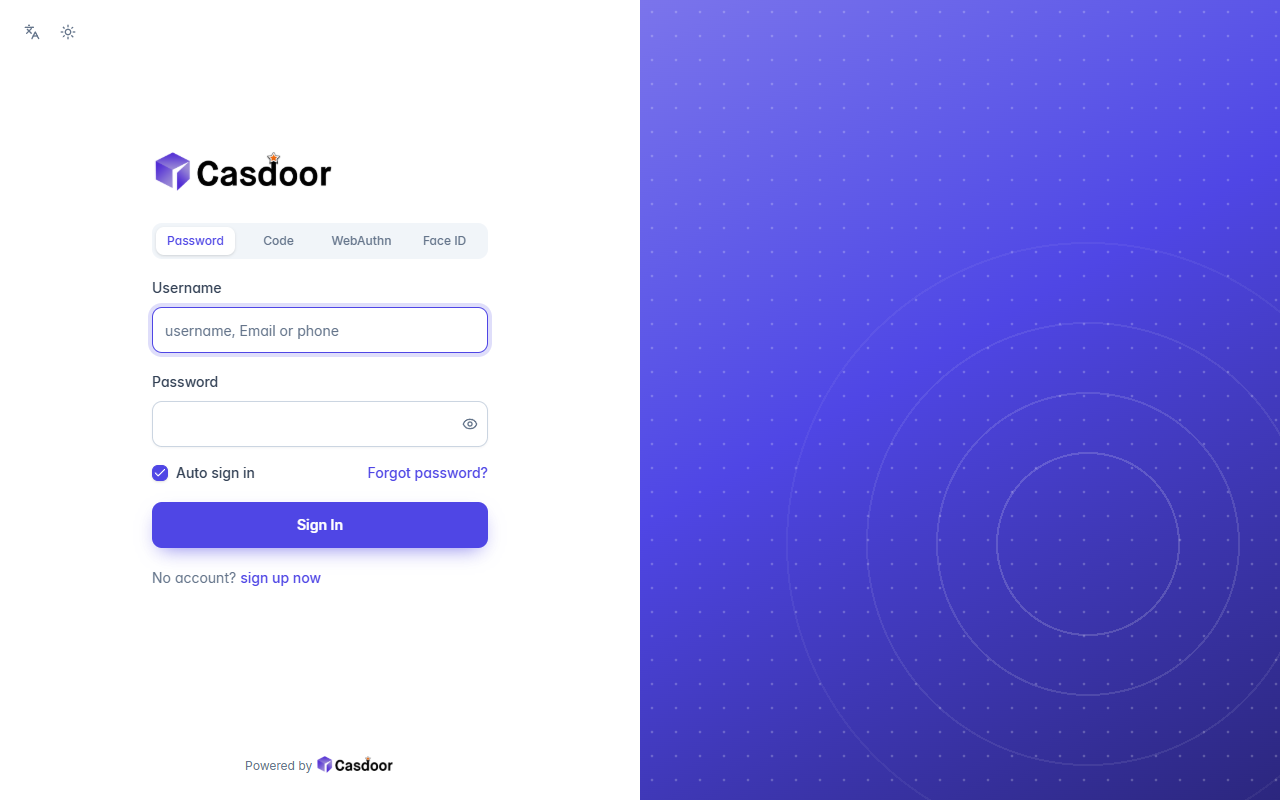
Halves
A split screen without any HTML: the form sits on white in the left half, the right half is your color with rings and a dot grid. CSS only, so organization admins can install it.
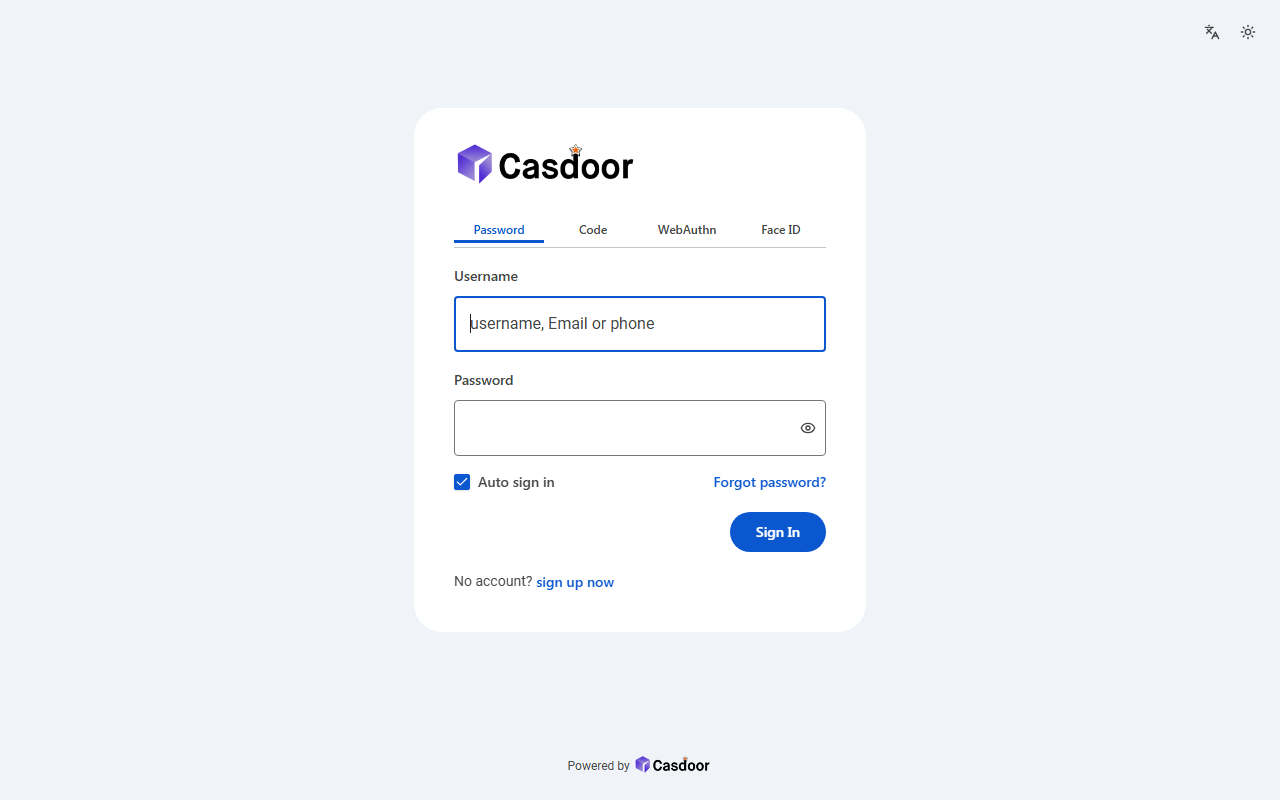
Material
A big rounded white sheet on a soft grey page, outlined 56px fields and a pill-shaped button on the right, in the spirit of Material Design. CSS only, so organization admins can install it.
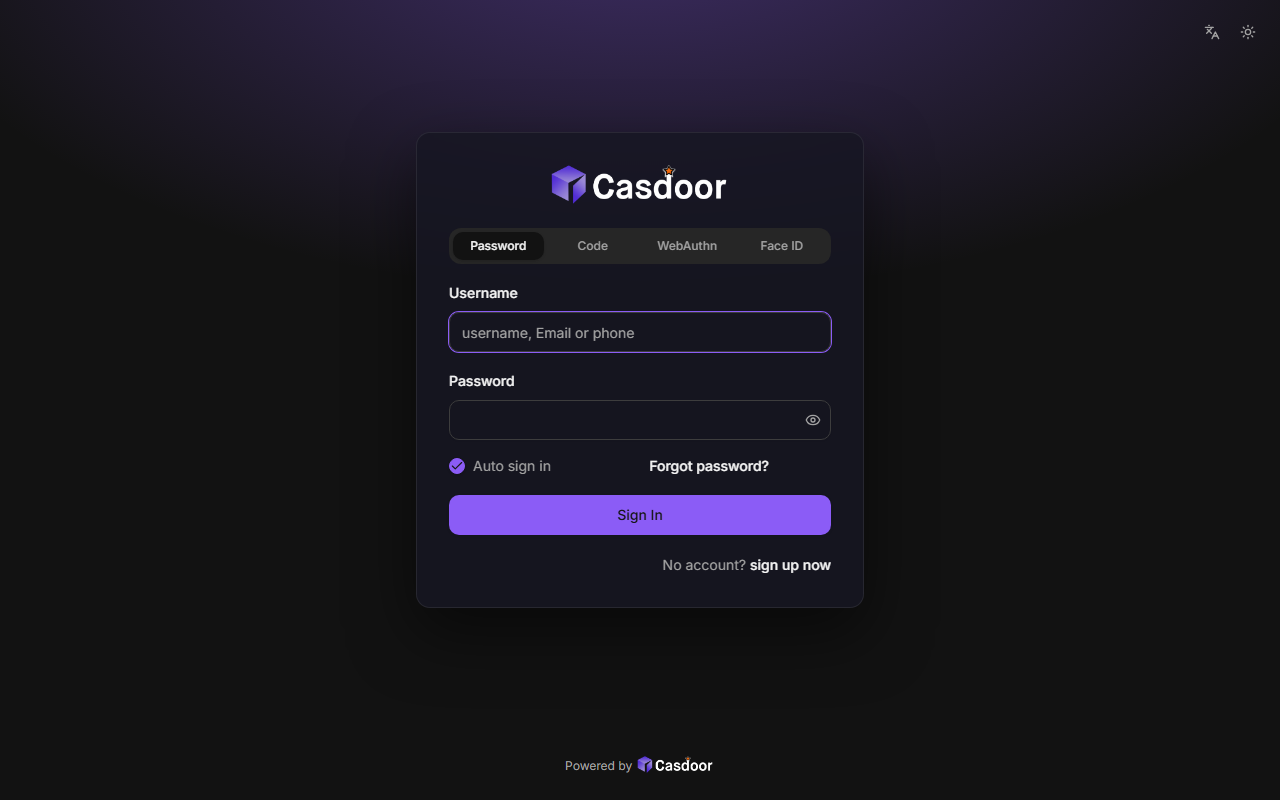
Midnight
A dark sign-in page with a soft glow in your accent color behind a frosted card. CSS only, so organization admins can install it.
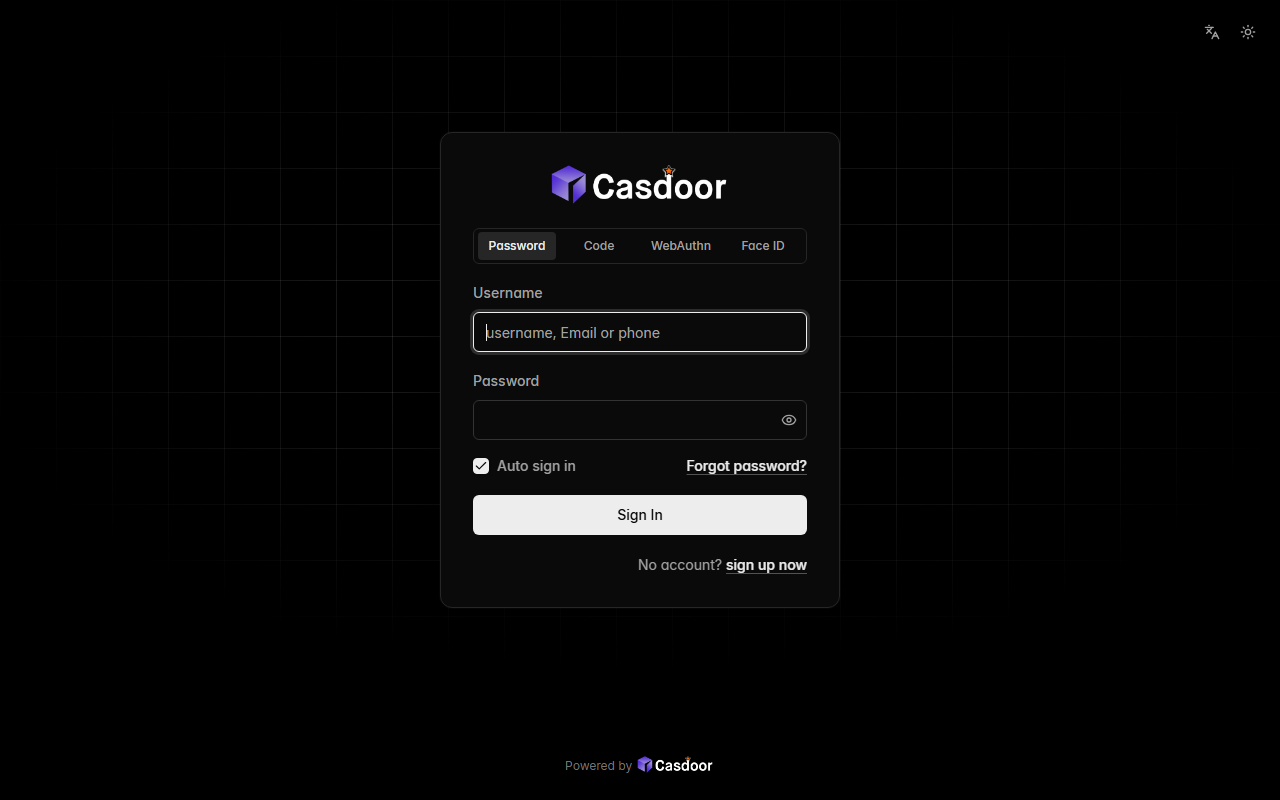
Mono
Pure black and white: a hairline-bordered card over a fading grid, with a white button and nothing else competing for attention. CSS only, so organization admins can install it.
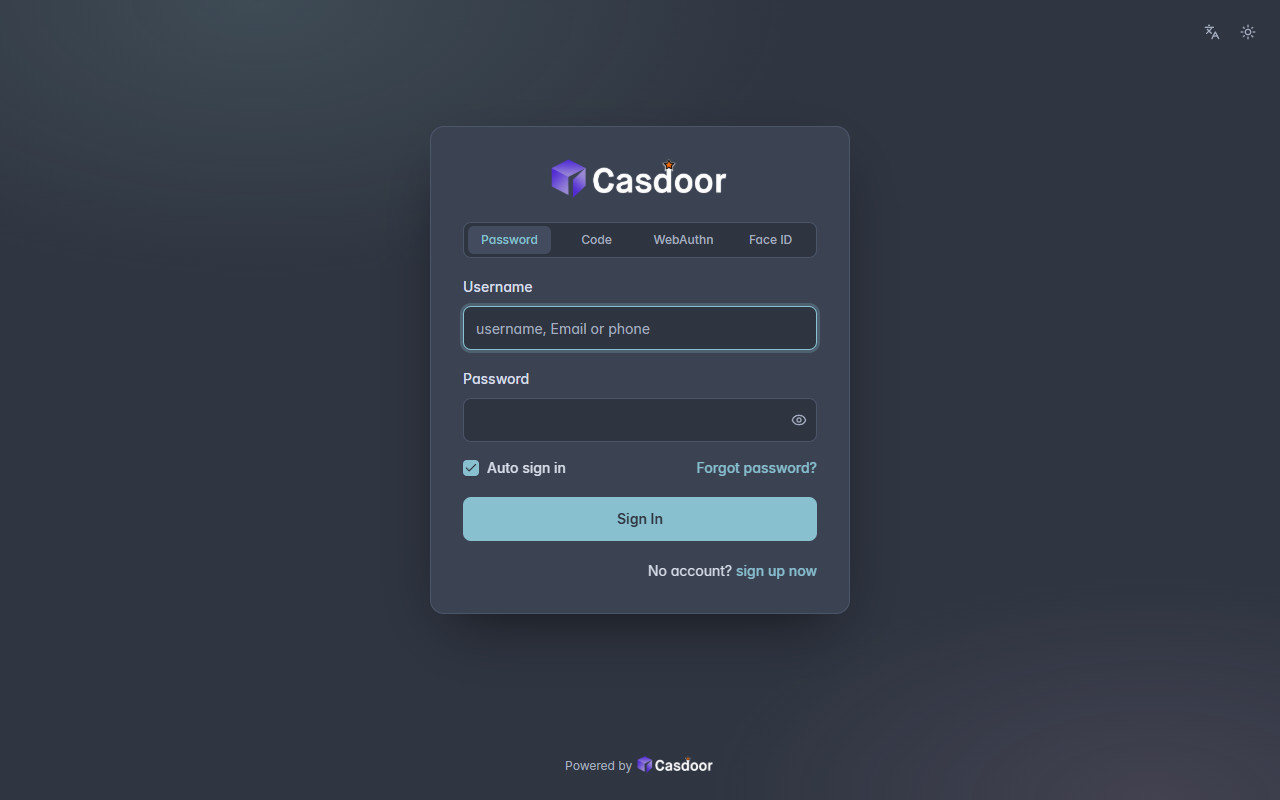
Nord
The Nord palette: arctic slate greys with a frost-blue accent and a cool aurora glow, calm and low in contrast. CSS only, so organization admins can install it.
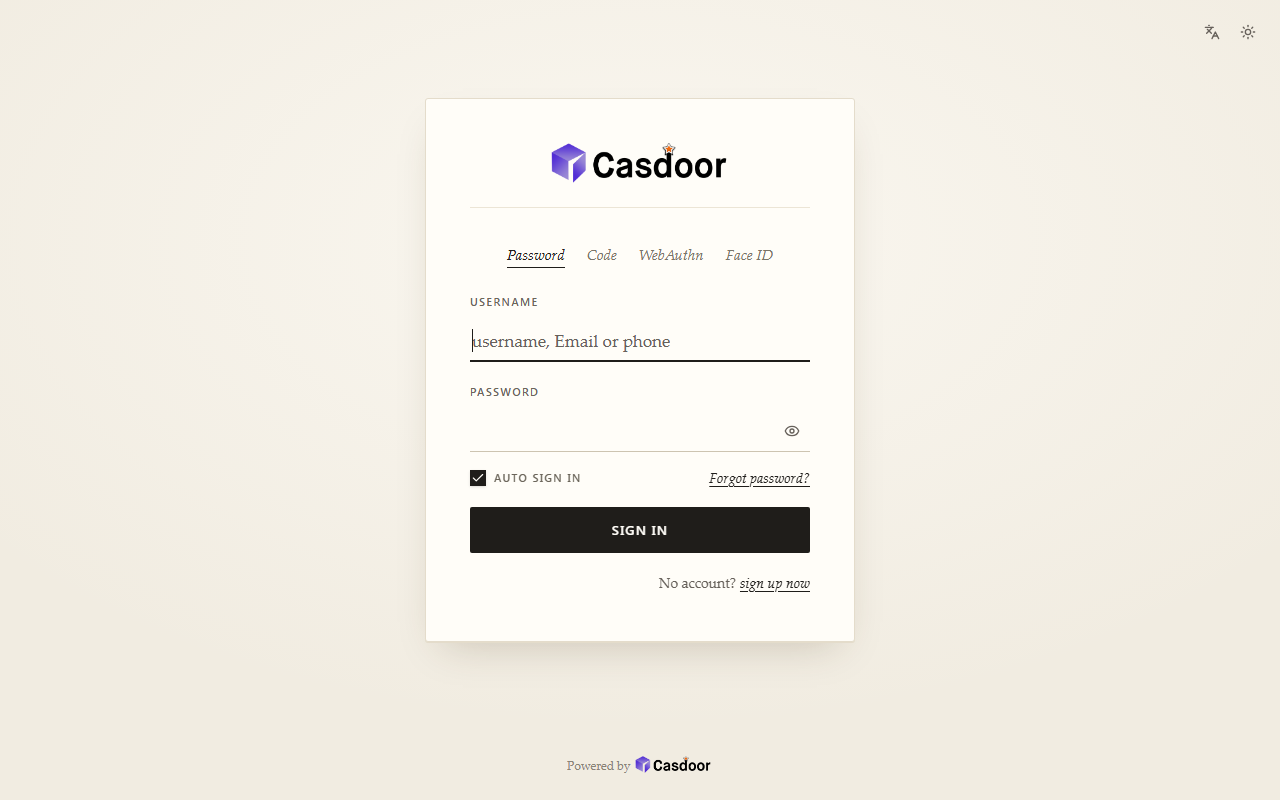
Paper
An editorial look: a cream page, a serif face, small-caps labels over underlined fields and an ink-colored button. CSS only, so organization admins can install it.
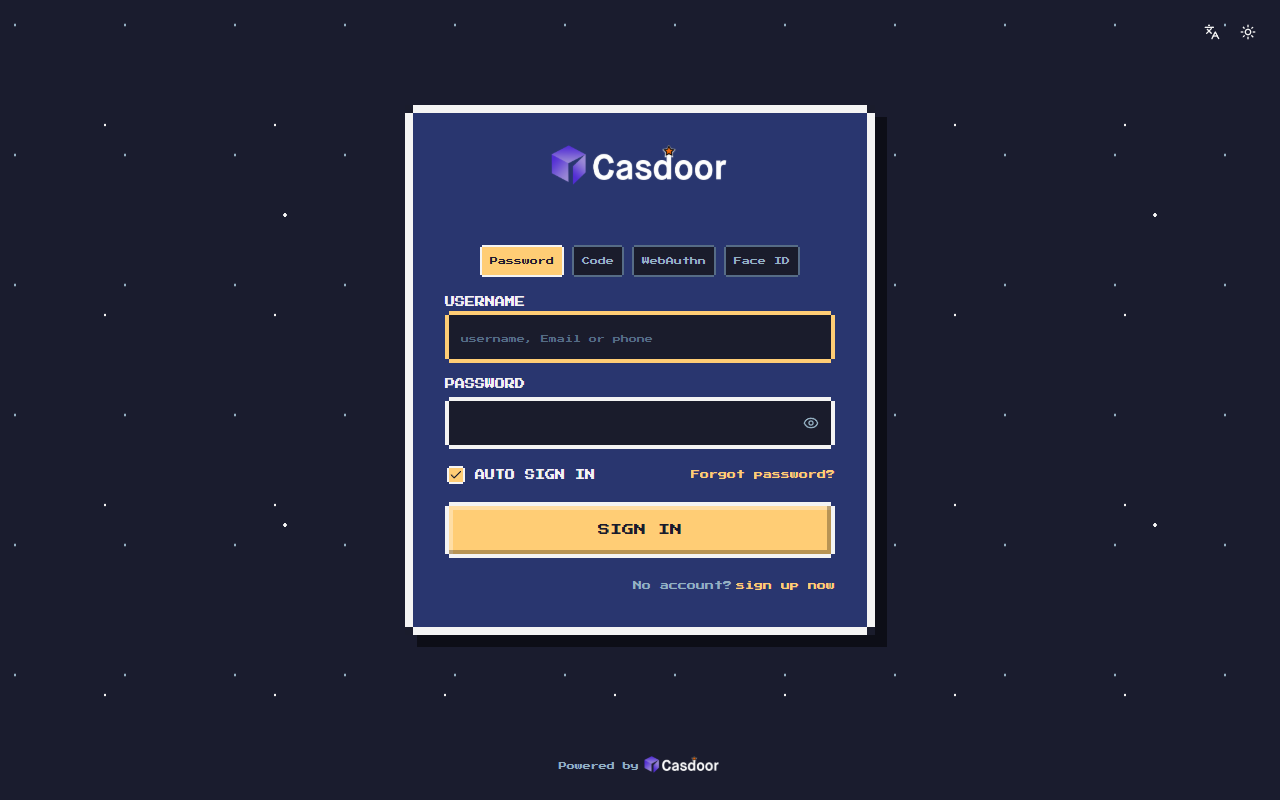
Pixel
An 8-bit game menu: a pixel font, stepped borders, a starry night sky, a blinking PRESS START and a chunky button that presses in. It loads the Press Start 2P font from Google Fonts. Organization admins can install it.
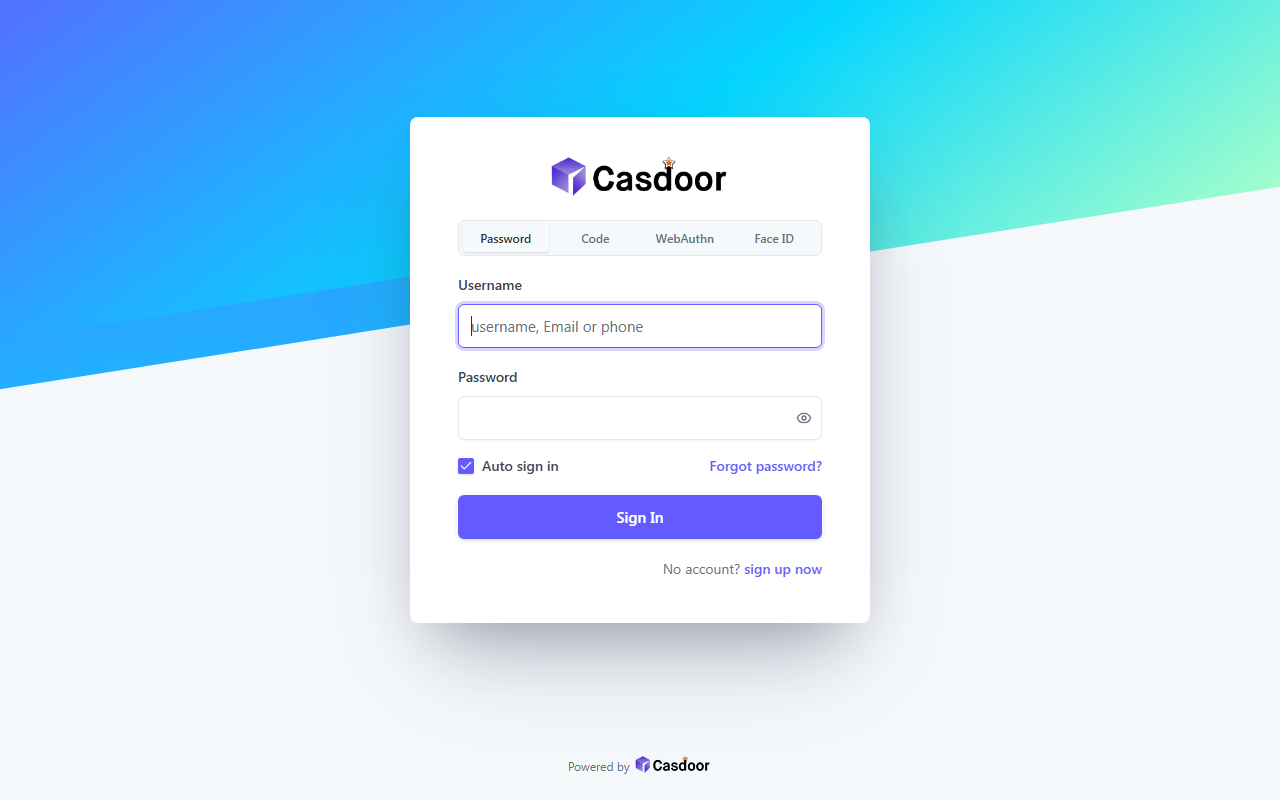
Prism
A slanted band of color from your accent to cyan and mint across the top of a light page, with a white card on a deep, soft shadow. CSS only, so organization admins can install it.
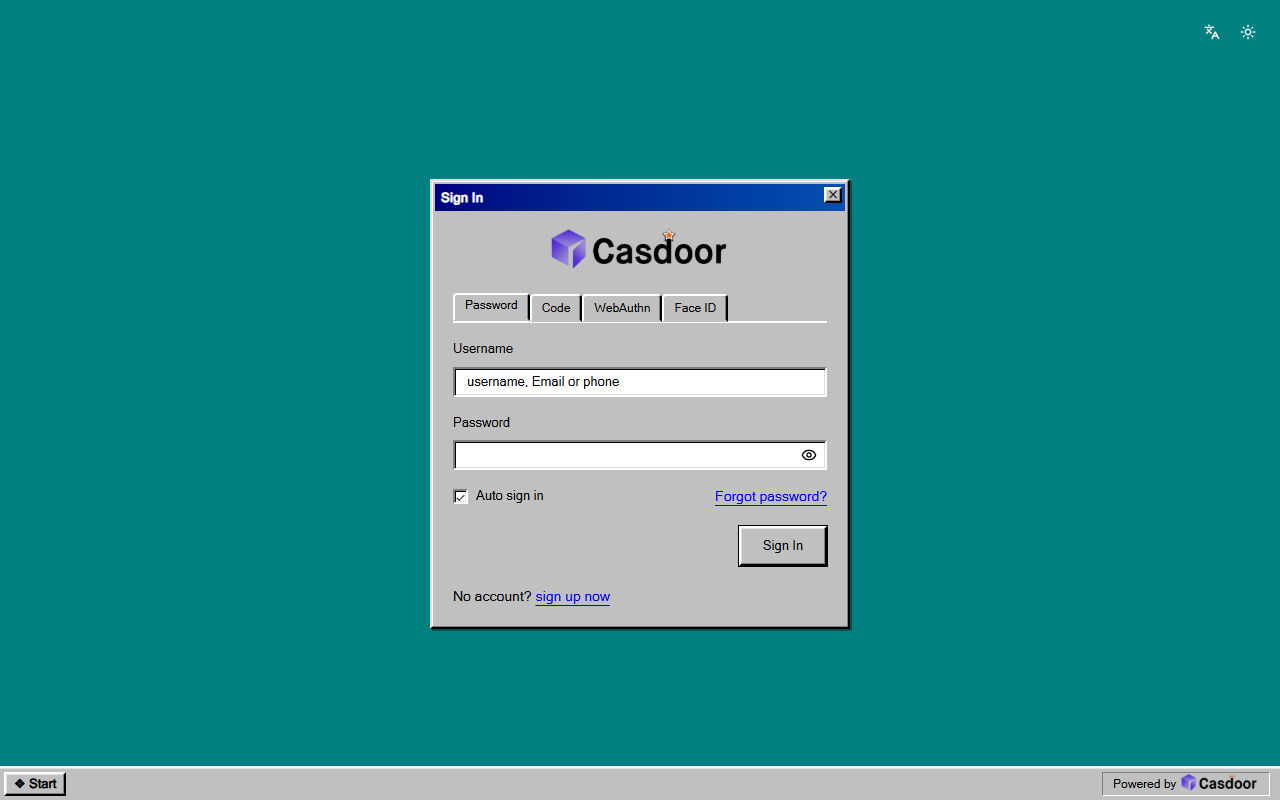
Retro
A 90s desktop: a grey bevelled window with a title bar on a teal background, sunken fields, tabbed dialogs and a taskbar along the bottom. CSS only, so organization admins can install it.
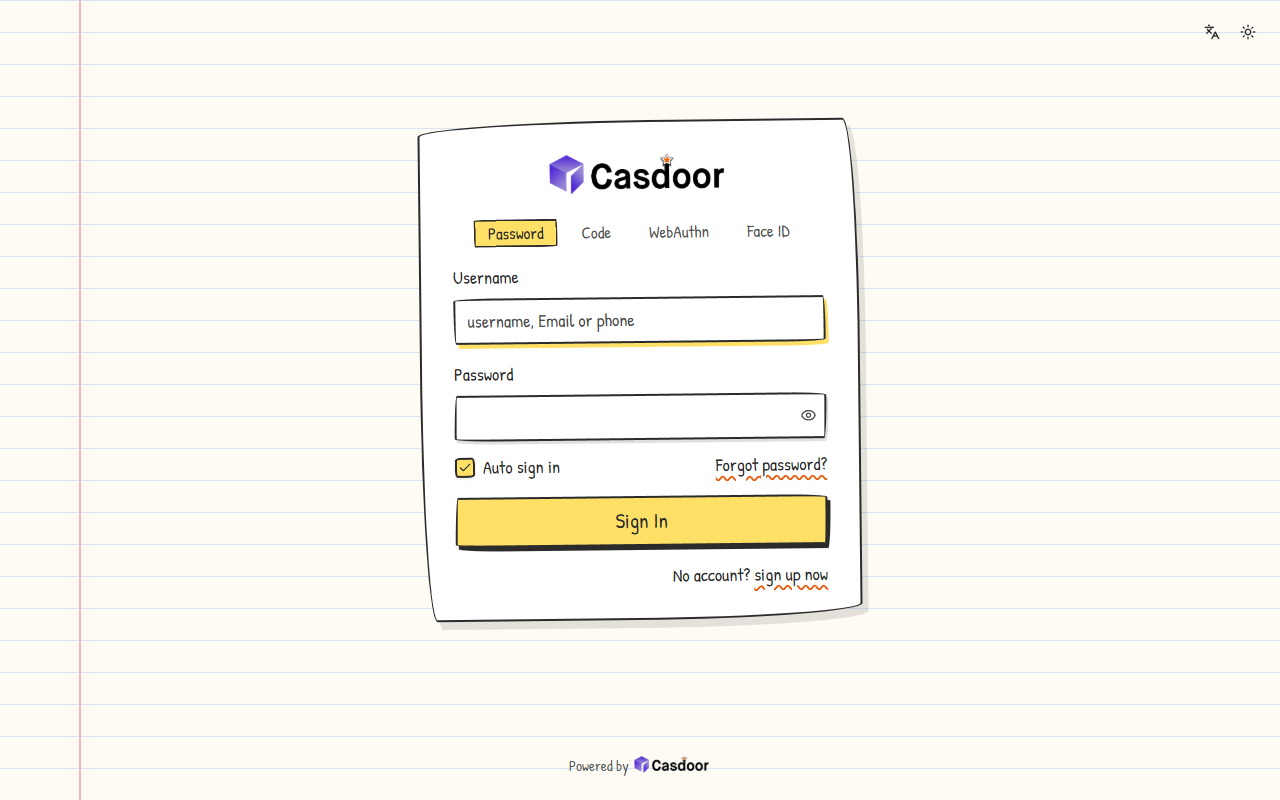
Sketch
Drawn by hand on ruled notebook paper: wobbly ink outlines, a handwritten typeface, wavy underlines and a marker-colored button, all slightly tilted. It loads the Patrick Hand font from Google Fonts. Organization admins can install it.
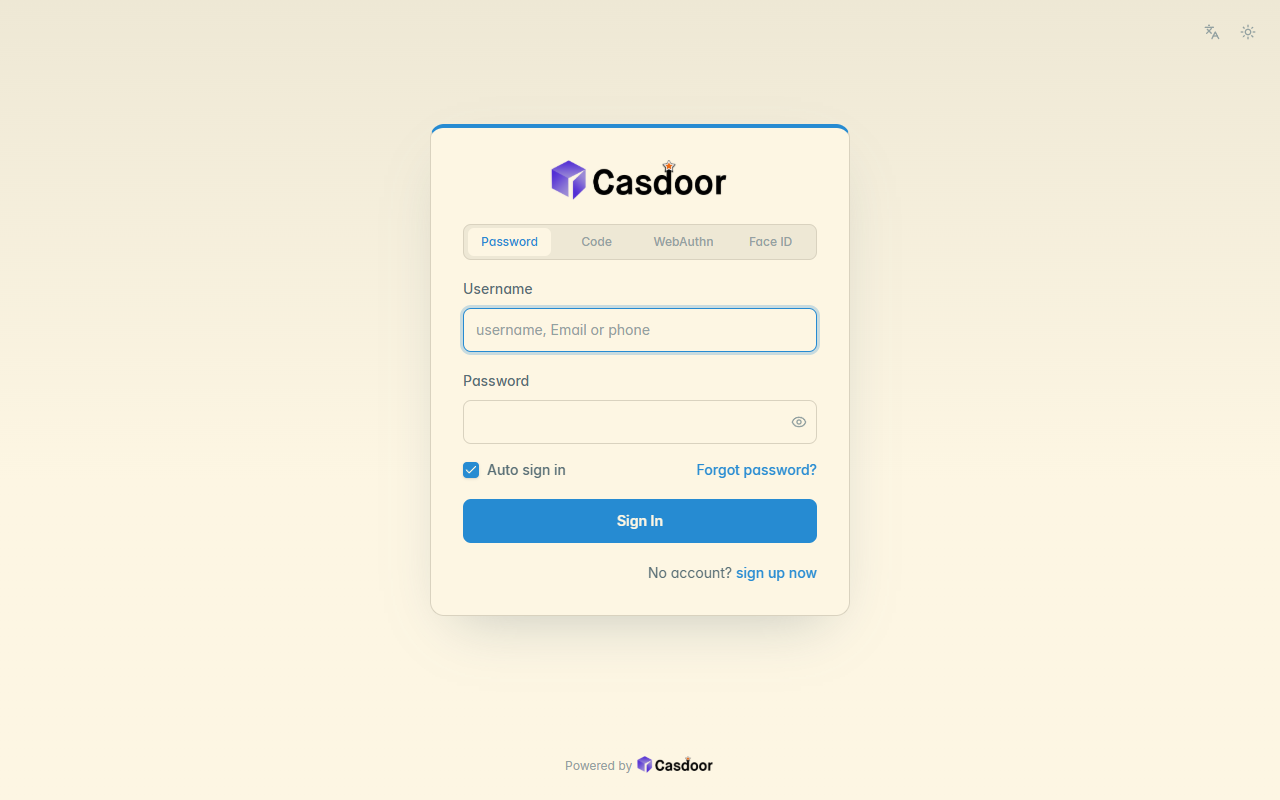
Solarized
The Solarized Light palette: warm cream base tones and precise, muted colors, made for long reading, with a blue accent by default. CSS only, so organization admins can install it.
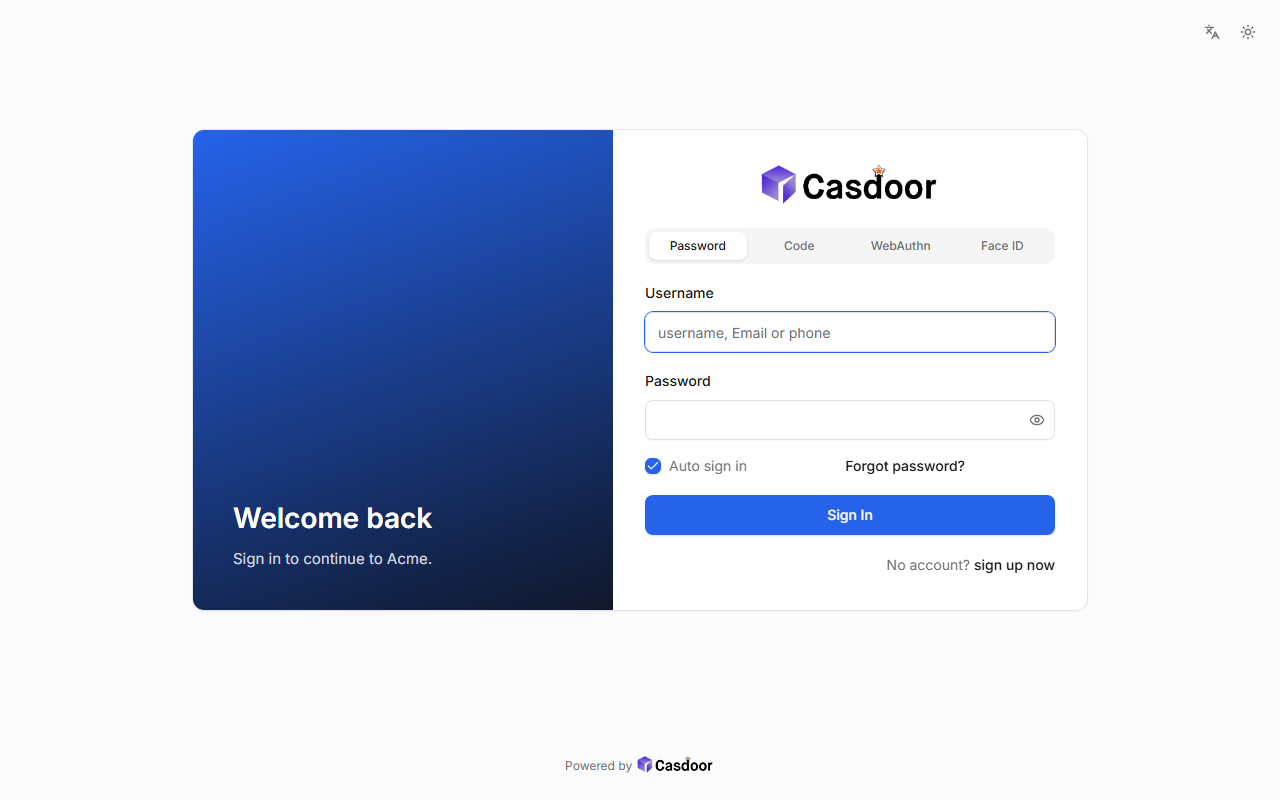
Split
A brand panel in your color with your own headline next to the sign-in form. It sets the side panel HTML, which organization admins can install on Casdoor 4.20.0 and later; before that only a global admin can.
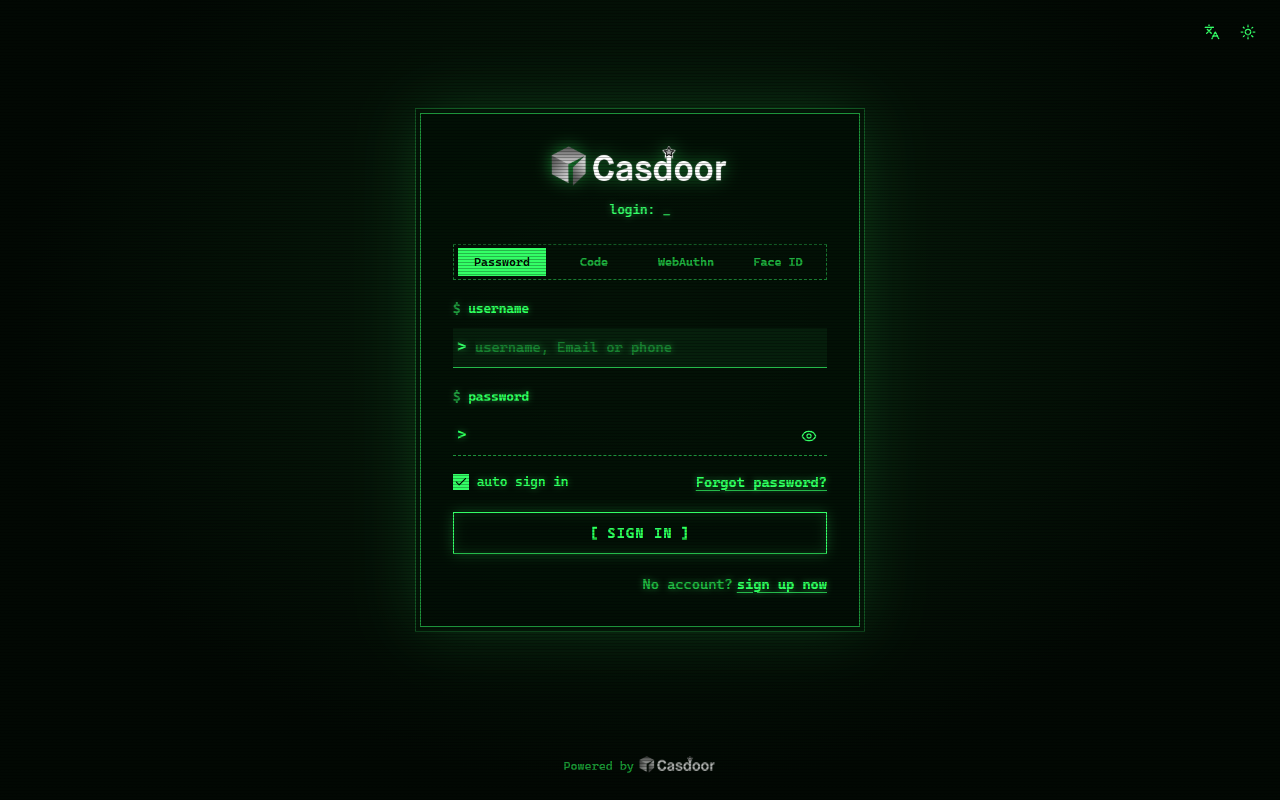
Terminal
An old phosphor screen: glowing monospace text, scanlines with a faint flicker, a blinking prompt and fields that read like a shell. CSS only, so organization admins can install it.
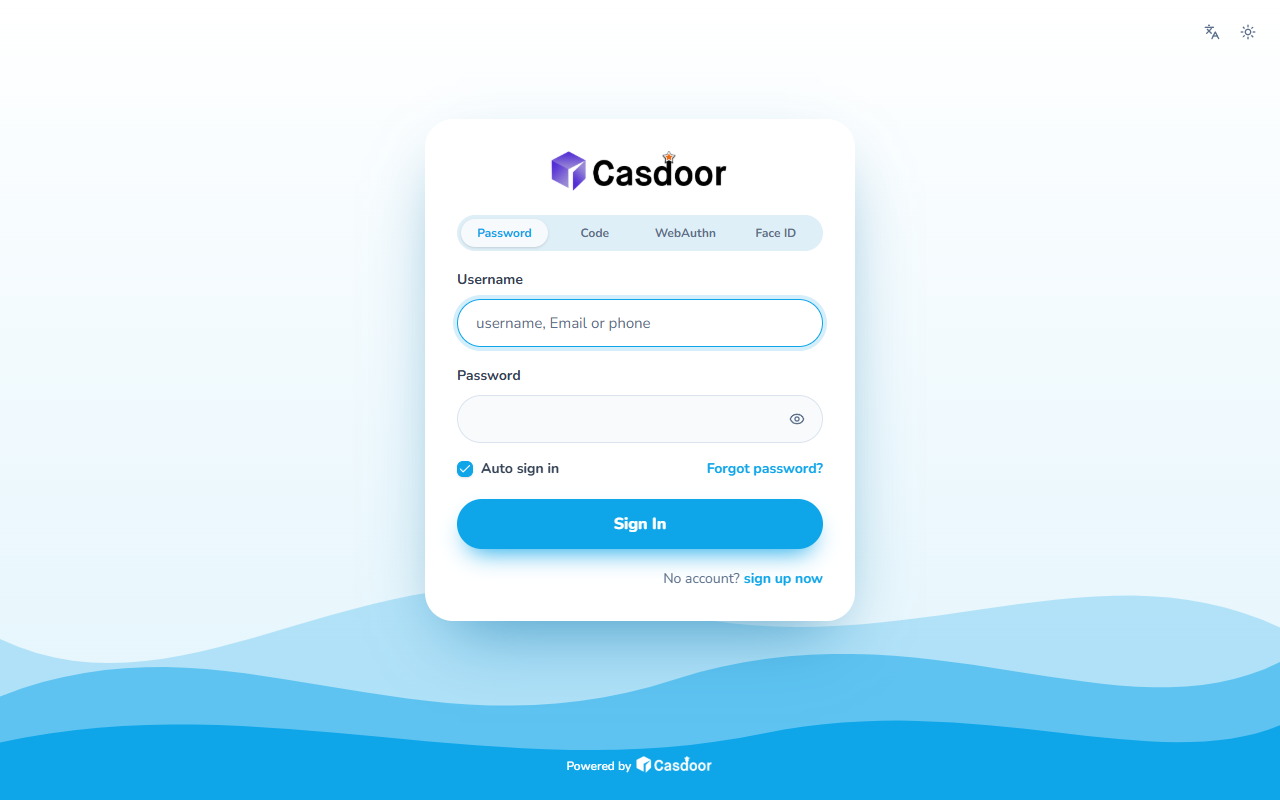
Waves
Friendly and round: three layers of waves in your color roll along the bottom of a light page, under a soft white card with pill-shaped fields and a rounded typeface. The waves are drawn in the CSS itself; the Nunito font comes from Google Fonts. Organization admins can install it.
Identity providers
Sign in with the identity system you have
Templates for self-hosted identity providers, with the settings to enter on the other side.

Authelia
Identity providers
Let people sign in to Casdoor through Authelia over OpenID Connect: the provider settings, and the client to add to Authelia's configuration.

authentik
Identity providers
Let people sign in to Casdoor with their authentik accounts over OpenID Connect: the provider settings, and the application and OAuth2 provider to create in authentik.

GitLab Self-Managed
Identity providers
Let people sign in to Casdoor with accounts on your own GitLab over OpenID Connect: the provider settings, and the OAuth application to create in GitLab.

Keycloak
Identity providers
Let people sign in to Casdoor with their Keycloak accounts over OpenID Connect: the provider settings for a Keycloak realm, and the client to create on the Keycloak side.
ZITADEL
Identity providers
Let people sign in to Casdoor with their ZITADEL accounts over OpenID Connect: the provider settings, and the web application to create in the ZITADEL Console.
Actions
Extend what Casdoor does
Payment and SMS gateways, password breach checks, password migration from an old system and sign-in confirmation by push. Actions run as sandboxed WebAssembly that can only reach the hosts they declare.

Revolut
Payments
Take card, Apple Pay, Google Pay and Revolut Pay payments for Casdoor products and plans through the Revolut Merchant API, on Revolut's hosted checkout page.

Vonage
SMS
Send sign-up, sign-in and MFA verification codes by SMS through the Vonage SMS API, formerly Nexmo.

Common password check
Security
Refuse the most used passwords and passwords that contain the username, with a list built into the action; nothing leaves Casdoor.

Feishu / Lark sign-in confirmation
MFA
When a sign-in needs the second factor, send the user a Feishu or Lark card; one tap on Confirm signs them in, no code to type.

Have I Been Pwned password check
Security
Refuse passwords that have appeared in data breaches, and ask users to change one at sign-in, checked against Have I Been Pwned without sending the password.

Password migration by HTTP
Migration
Move the passwords of users imported without one: on the first sign-in Casdoor asks your old system over HTTPS whether the password is right, then keeps it.
Free and paid integrations
- 41 integrations are open source under Apache-2.0 and free in every edition, including the open-source build.
- 7 integrations marked Commercial or Enterprise need a self-hosted license of that edition. They install from the same Marketplace page.
- Casdoor checks the license before it downloads a paid package, and every package against the catalog's hash.
Build an integration
Integrations are JSON files in the casdoor-integrations repository on GitHub: a manifest, the application, provider or theme to create, and a setup guide. Open a pull request to add the app you use, or an issue to ask for one.
FAQ
Frequently asked questions
What is the Casdoor Marketplace?
Which Casdoor versions have the Marketplace?
Are the integrations free?
Can organization admins install integrations?
Does it work without Internet access or in mainland China?
How do I add an integration?
Ready to secure your next big move?
Put login, single sign-on, MFA, permissions and AI agent access behind one open-source platform, hosted by us or run by you.
Try Casdoor Cloud free
A dedicated instance in the region you choose, from $6.67/month billed yearly with no per-user fees.
Free trialSelf-host for free
Run the same Apache-2.0 Casdoor on your own servers with Docker or Kubernetes.
Read the docsTalk to an expert
Plan a migration, an on-premises rollout or an authorization model with our team.
Contact sales